Tools of the trade – How I get stuff done

For Christmas this year, I received a leather cover for the notebook I use at work, so I thought I’d share a little bit about the tools I use to get things done.

First, the analog stuff.

The Notabilia notebook with the leather cover I got for Christmas
  • I use a Notabilia composition book from Levenger to keep all of my meeting notes and general ideas.  I’ve tried various online and software solutions to keeping notes, but I like having everything in one place, and the ability to (occasionally) go without a computer.  I like the fact that the pages in a composition book are bound, and the paper quality in this one is excellent.  I received a beautiful leather cover for this notebook for Christmas (Thanks, Mom and Dad!)
  • I get pretty picky about my pens.  I use black uniball vision elite pens for all of my note taking.

  • I keep a small moleskine notebook to help me organize my day.  Now, all of my meetings and classes are recorded in my online schedule, but I need some way to structure my “unscheduled” time (when I have some).  So in my small notebook I  just jot down which projects I will spend my time on that day.  Low tech, but useful.

Then, the digital stuff.

  • Oracle Calendar.  This is perhaps my least favorite online calendar, but it is the one my organization uses, so I live with it.  My colleagues can add meetings to my schedule and easily see if I’m busy (and I can do likewise).  Through some clunky third party software I can get this on my iPhone, but I really can’t wait until my organization drops this in favor of Google Calendar, or just about anything else.
  • TaskPaper.  My to-do list.  Lots of folks swear by the more complex personal project management software, but I really like the simplicity of this project, and I like the fact that I can sync it with my iPhone.
  • Google Docs.  Essential for working on documents on multiple computers and sharing stuff with other folks.  I get really annoyed now when folks just want to send .doc files back and forth via email.
  • Microsoft Word.  Having said that, I still use MS Word for a lot of my lesson planning.  I like the “Notebook” template that allows me to keep my library instruction lesson plans
  • Coda.  Great program for editing code.  I don’t do this as much as I used to, but it is a great program.
  • Adium.  Useful for getting stuff done with colleagues and students.  Also useful to avoid getting stuff done.
  • Tweetdeck.  Best way to keep up with folks on twitter.

What analog and digital tools allow you to get your work done?
Strategies to help students find a project topic

Sometimes, one of the hardest parts of writing a term paper is just starting out: What on earth do I write about?

Faculty sometimes provide a very narrow set of topic choices, but students are often given wide latitude to select a topic of interest to them.  Then they just need to decide (a) What are they interested in? and (b) How can that be a term paper topic for my upper level science class?  Easy enough, right?  Not for many students.  I actually remember a mild panic setting in when I was an undergraduate given unlimited options about what to write about.

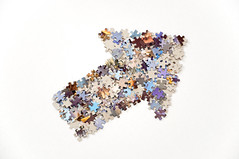
Thick arrow made from jigsaw puzzle pieces
Thick arrow made from jigsaw puzzle pieces. CC image courtesy of flickr user Horia Varlan

In a couple of disciplines, I have done informal sessions outlining strategies to help students find a topic.  I present some resources and give students time to poke around.  I’ve done this as a modified jigsaw activity with good results.  With the professor and the librarian present, the students can ask questions and get clarification about their topic or resource choices.  End of semester survey results indicate that this seems to be helpful for students.

All of the strategies I present basically show students a variety of resources to help spark their ideas – they don’t have to think of a topic off the top of their heads.

Examine Science Blogs and News Sites

Advantages: Articles are written in easy to understand prose and their brevity make it easy to scan multiple topics quickly.

Disadvantages: You will have to translate the topic idea from the news article/blog into the primary literature.

Look at Relevant Journal Table of Contents

Advantages: You are going directly to the primary literature, and once you find an article, expanding your search can be very easy by tracking down citations.

Disadvantages:  Article titles are notoriously difficult to comprehend for undergraduates.  Something that might be particularly interesting might be hidden behind overly complex scientific language.

Searching Relevant Databases

Advantages:  If you have a general idea of what you might want to do, this might be very useful for helping you narrow down your topic.  You also make a very quick leap to the scholarly literature.

Disadvantages:  A search for “the evolution of fish” might turn up so many results that you can be overwhelmed.  And scanning journal article titles can sometimes lead to more confusion, not less.

Books I read in 2010

I read 31 books in 2010, just one more than last year.  As usual, the list is a mix of lighthearted fiction and some (slightly) more serious non-fiction.  I tend to prefer humorous books of all sorts, and the lovely combination of science, technology, personality and humor made Mary Roach’s Packing for Mars : the curious science of life in the void my favorite book this year.

The year started out rather juvenile with a quick read of the popular Twilight series.  I was feeding my daughter in a chair in my 12 year old niece’s room, and the only books within reach were Junie B Jones, Kindergartner, or Twilight.  I’m not convinced I made the right choice.  However, my knowledge of the books has allowed me to engage in some interesting conversations with my niece, which have been fun.

My final book of the year was the new ‘biography’ of cancer Emperor of All Maladies by Siddhartha Mukherjee.  The book was very engaging and thought provoking.  As a book that discusses some history of science, I appreciated the focus on scientific methodologies and the important role personality plays in scientific discovery.

As usual, I wish some of my favorite authors could write more – I eagerly await the next books by Christopher Moore, Jasper Fforde and Bill Bryson.

Here is the list.  Items marked by an asterisk (*) were read on the Kindle app for iPhone.

A librarian in a peer editing session

On Wednesday, I stayed a bit late after work to attend a peer editing session for a class I’ve been working with all semester.  This wasn’t in our original plan, but a few weeks ago it made sense that perhaps I could offer students some assistance with their citations during the same session where they were reviewing their peer’s writing.  We didn’t have a well thought out plan for my participation, but decided to give it a try.

It was an incredibly good use of my time.

Wikipedian Protester
Wikipedian Protester. From the wonderful web comic xkcd

I had previously reviewed the mechanics of citation with the students, as well as discussed some best practices of in-text citation:

  • When to cite
  • What doesn’t need to be cited (and what the lack of a citation implies)
  • How to use author’s names as the subject of a sentence (and avoid the passive voice)

In the peer editing session, I simply went from group to group looking at papers, making suggestions and answering questions.  Students asked a lot more questions than they would have if they had to seek me out (via email or in my office), and one student’s question would often help out another student.

Overall, I would do it again.  In classes where I know they do peer editing, I may volunteer to come in and help with citation related questions.

Using the ‘arsenic bacteria’ story as a teaching moment for undergraduates

The bacteria at the center of the debate

Background: NASA funded scientists published an article in Science about bacteria using arsenic instead of phosphate in their DNA.  NASA held a press conference to promote their findings and comment on the importance of this discovery.  After reading the article, many scientists were not convinced that the discovery was as important as the authors were claiming, nor were they convinced that some of the methodology was sound.  And many of these scientists shared their doubts with the general public via blog posts, blog comments, twitter comments and other informal venues.  The NASA scientists fired back, saying that the scientific debate should happen through the formal process of peer review and publication.  Bloggers and science journalists responded by pointing out that they were the ones who held a press conference.  Carl Zimmer’s articles in Slate and in the Discover blog the Loom outline the issues nicely, and Ed Yong has a wonderful time line of how the story unfolded.

This story provides a unique teaching opportunity for faculty and librarians to discuss the issues of peer review and scientific communication with undergraduate students.

First, you have scientists on record saying that basically, the peer review system didn’t work as well as we’d like.  These scientists are saying that the scientific methods used were not as rigorous as they should have been.  In addition, many folks are arguing that what the scientists actually discovered isn’t nearly as important as the hype surrounding it makes it seem.

An in class discussion about this issue could center around several things:

  • Thinking critically about the methods – scientific criticisms of the article
  • Evaluating the importance of a new discovery – how good is peer review (or any other method of review) at evaluating this?
  • How are scientific discoveries represented in the media – do the stories about the science match up nicely with the science itself?  Students could analyze media stories from mainstream outlets as well as the original article.

Second, you have the controversy about where scientific debate should take place.  Some scientists see little value in the scientific blogosphere.  Many others (including myself) view it as a vital part of the communication between scientists and the general public.  In addition, blogger’s comments have led to the retraction of at least one article in a highly respected journal (that I know of).

An in class discussion about these issues could center around several themes:

  • What type of responsibility does a scientist have to communicate his/her discoveries with the general public?
  • How do less formal communication models (press conferences, blogs, etc.) interact with and relate to the formal communication process within science (peer reviewed articles)?
  • Who has a right to comment on a scientific article?  When should the authors respond to these comments directly?

The amount of information on this story available on the web is quite large, providing lots of opportunities for students to search for and find various opinions.  In addition, the science is multidisciplinary, allowing an opportunity for many courses to engage in these discussions.

The hidden landscape of scholarly publishing

Was the scholarly publishing landscape easier to understand when everything was in print? Image from Flickr user diylibrarian

Students tend to assume that all the information they need for a project (perhaps other than print books) is available freely online.  They may have rough ideas that some journals cost money (like magazine subscriptions) but I’m guessing that most students have a simplistic and rather naive concept of how they have access to information (I’d love to see some data on this).

Are we doing students a disservice by not making the details of the scholarly information landscape more prominent?

Libraries and information providers have worked hard to make much of this landscape transparent to the end user (including faculty).  If the student is on campus, many of the journal articles may appear “free” to the end user through a complex series of IP authentication, proxy servers and other behind-the-scenes technology.

When we teach students how to access information, we encourage them to use library databases, touting their scholarliness and focus.  But when users can access articles in JSTOR and ScienceDirect through a Google or Google Scholar search, the advantages of the paid databases are diminished.

We talk about journals, but we don’t talk about how we have access to them: free, direct from the publisher, in aggregators, etc.  We talk about ILL, but we rarely mention how they may find a copy of the paper archived on a website – students can discover this for themselves and then wonder if we really know what we are talking about.

We teach them about brainstorming keywords, narrowing or broadening their search as needed and identifying the types of information they may need.

But would it also be useful to them if they understood the nature of the scholarly information landscape?  Would it be easier for them to track down a copy of an article if they knew the possible ways that they might have access to it: (OA vs. subscription, direct publisher subscription vs. aggregators, final copy edited version vs. post-print)?

I’m starting to think that we need to start introducing some of these concepts to students as freshman, then build on them at advanced levels.  I’m just not exactly sure how to do this at the moment.

Library response to program closures?

Yesterday, our college president announced the closure of three campus programs in an effort to deal with massive structural deficits resulting from massive cuts in state aid.  Our campus will be “deactivating” the Communicative Disorders and Sciences Department, the Computer Science Department, and the Studio Arts Department.  (You can see the Presidents message and additional information about Geneseo here (and in the video below), and there have been news stories about the funding cuts and program closures at other campuses.)

After the announcement, many librarians gathered around our cubicles to discuss the issues.  Foremost on our minds was the upcoming job losses for our colleagues in the “deactivated” departments. Secondarily, we started thinking about what this means for library support of these departments.

We had a lot of questions and no concrete answers at this point.

  • How much of our library budget supports these departments?  How and when would that money be allocated elsewhere?  Is it enough that we might be able to avoid cuts elsewhere?
  • How much staff time is spent supporting these departments?  How will this change?  I am the liaison to the Computer Science Department, but I have never done a lot of information literacy instruction for them, and their other needs are minimal.  I can’t say the same for my colleagues who support the other departments.
  • We have received grant funds to help build a collection in Communicative Disorders and Sciences over the past few years.  What will happen to these funds?  What will happen to the collection we have been building?
  • We have been intending to weed the Computer Science collection for a couple of years now (how many books do you need on Fortran?  We have over 100.)  How will this impact our plans for this project?

And that is just the beginning.  Of course, this doesn’t even deal with the question about eliminated faculty and non-instructional positions that the President also mentioned in his address.  We have 4 librarians retiring in the next 8 months and I have no idea if we will be able to replace any of them.

What is a DOI? Just the basics

Most of the students (and some of the faculty) I work with have no idea what a DOI is or why they should care.  This is what I tell them.

A DOI – Digital Object Identifier – is like a social security number for a journal article. They can be applied to other digital items as well, but you are most likely to encounter them in scholarly articles.

A DOI normally consists of numbers, letters and other punctuation.  It will look like this:

10.1016/j.acthis.2007.10.006

10.1186/1475-2875-9-284

The DOI provides a way to permanently find a particular item.  Publishers and scholarly societies change their websites all the time.  Recently, a major publisher completely re-did their website, messing up all links into their site.  I was quite annoyed.  But the DOI could still link you to an article in a way that a URL couldn’t.

Incidentally, you can use the DOI to create a nice, neat compact URL for a journal article (instead of those really log URLs provided by some databases).  You just need to add a little bit to the front of the DOI:

http://dx.doi.org/DOI

DOI LogoYou can also use the DOI to quickly look up an article from your libraries homepage or this webpage.

To get a DOI, a publisher registers with a non-profit organization called CrossRef, and they work with the publisher to assign a unique number.

Increasingly, journals and citation styles are requiring authors to include DOIs in article citations where available.

For additional (and much more technical) information about DOIs, see the DOI website or the Wikipedia article about DOIs.

Understanding the culture of the disciplines

Books
Books! Image courtesy of Flickr user babblingdweeb

A brief story: When I was in library school, I took a course called “Reference Sources in the Humanities”.  I figured that perhaps I ought to learn a bit about the humanities since my last English class was in High School.  While most of the class was largely useless (even my colleague the arts librarian doesn’t really use the art encyclopedias we talked about), the first couple of weeks were very useful.  It was there that I learned that scholars in the humanities primarily use books in their research, rather than journal articles.

Books!  Who knew?

Having ‘grown up’ in the scholarly culture of the sciences (geology specifically), I assumed that most scholars relied on journal articles as their primary form of scholarly communication.

I have limited knowledge of how scholars in the humanities do their research, combined with a limited knowledge of the types of resources they use.  My non-science colleagues on the other hand, have a very limited knowledge of the scientific literature and types of resources scientists used.  A ‘primary source’ in history takes a very different form than a ‘primary source’ in chemistry, even thought the basic idea is the same.

Understanding these scholarly cultures is a very important part of being a good academic librarian.  It isn’t just about knowing the publishers and the databases, you have to understand how scholars in the disciplines use these resources and the types of materials they are using and expecting to find.

Why isn’t this something that is focused on more in library school?  Most of us learn this on-the-job.  At the moment, I’m trying to figure out the subtleties of the science disciplines I work with, but I’ve only found a few good resources to help me out.  How do the needs of the physicists differ from the molecular biologists?  And what on earth are they doing over in the computer science department?

The new emphasis on “Scholarly Communication” services in libraries has expanded the number of resources available to help librarians figure this stuff out.

Some relevant reading:

Importantly, the librarians are talking to faculty here at Geneseo.  Our goal over the next year is to sit down with most of our faculty to talk about their research and publication needs.  One of our primary goals is to investigate how the needs of our faculty at a small, mostly undergraduate university differ from the needs of scholars at larger research universities.  How are our scholars similar?  What are they doing differently?

After we all complete our chats, I am hoping that we will spend some time talking to each other about what we learned.  Knowing more about the culture of the disciplines will allow us to target our resources and services better, and make us better librarians.

Headline: Traditional librarians and information scientists start to talk to one another!

One of the great things about the Geological Society of America Annual Meeting is that the organization for geoscience librarians, the Geoscience Information Society (GSIS) meets right along with them as an official part of the conference.  This brings librarians and scientists together in a wonderfully engaging setting.  Now, I’m betting that most of the geoscientists present don’t realize that there are librarians in their midst, but it’s great start to be in the same building for a little while.

Librarians tend to care a bit more about metadata than scientists - they just want to do the science.

I’ve attended sessions related to data preservation and more traditional library related stuff.  Permeating the talks at these sessions is the idea that librarians and the scientists dealing with data and information seem to be at the beginning of discussions about how they should work together.  This is encouraging.

The most visible folks on the scientists side are a group of folks from the USGS and state geological surveys.  These organizations have federal or state mandates to make their data available, so some scientists at these organizations have been tasked to develop the complex systems needed to share this information (The Geoscience Information Network, for example).  While in some cases, the scientists are unfamiliar with the systems and metadata standards developed for libraries that could assist them, others are building on the work of librarians, and others are encountering brand new issues that need new standards and practices.

I like seeing this, and I think we need to see more of it.  And for the most part, I think that the librarians have the responsibility of reaching out to the scientists (online, in person, at conferences, etc.) to start discussions about how we can help.

What I’m not entirely clear about, is how I can directly impact these efforts.  My tentative thoughts on this include working with faculty at my (small) institution to make their data accessible via appropriate external repositories (but do they want to share?), and working with the Geoscience Information Society to reach out to scientists to continue the conversation.  I’m not a cataloger (and I don’t want to be one), but their metadata experience could be highly valuable to scientists trying to manage their large quantities of information, and we need to try to let them know that.